
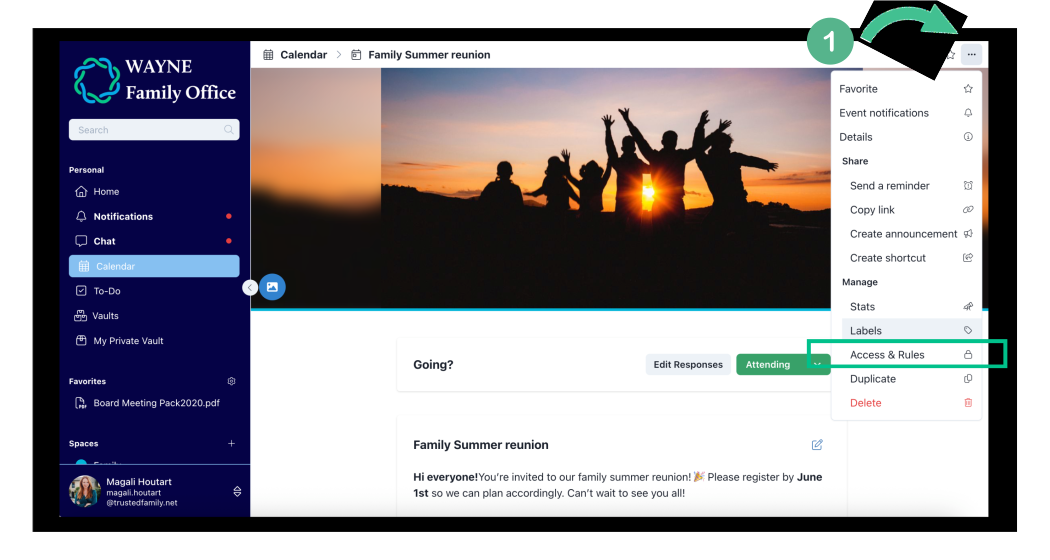
1. Navigate to your event in question. Click on the three dots "..." and select Access & Rules
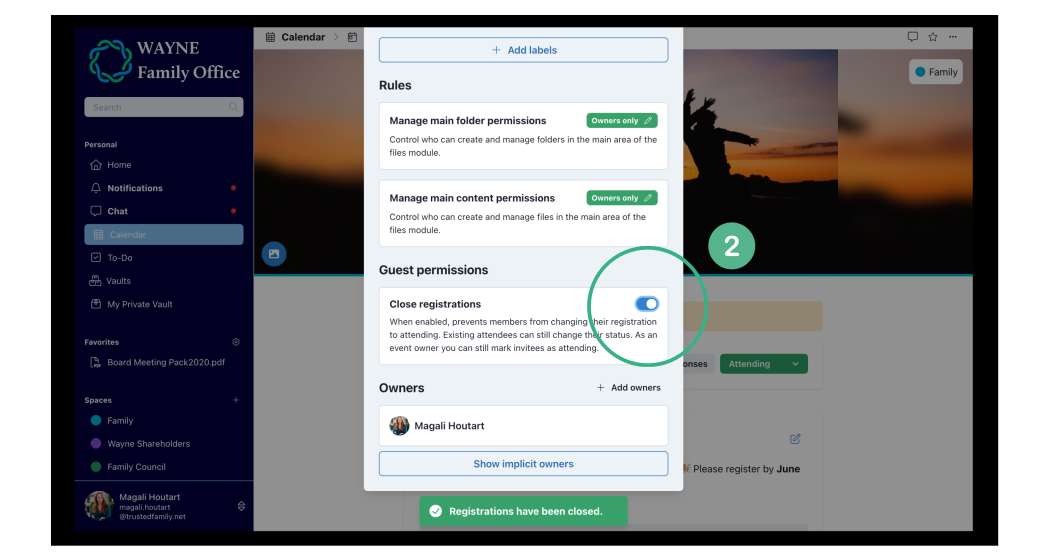
2. Scroll down to "Guest Permissions" and turn the Close Registration toggle on.
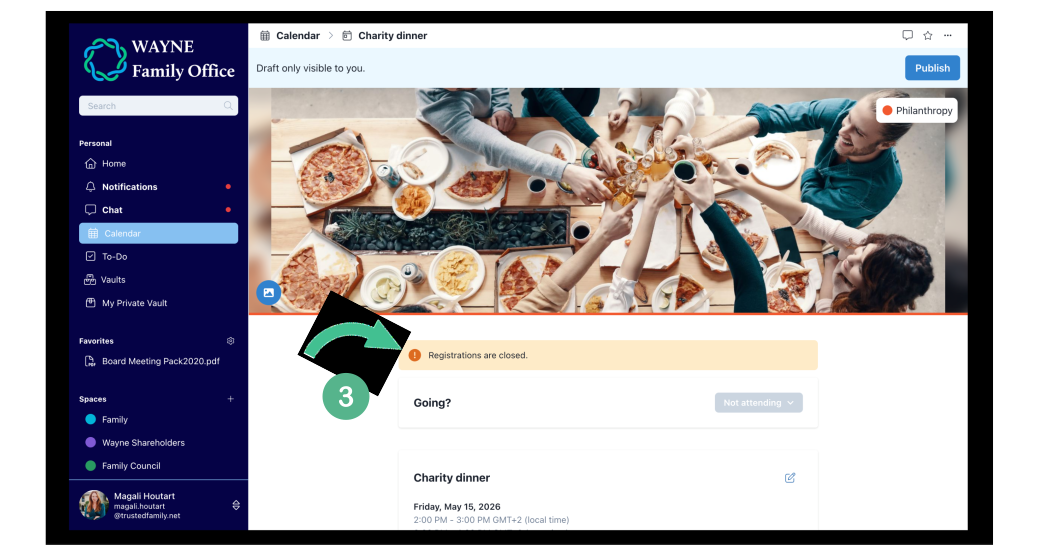
3. A banner will display that registering to your event isn't possible anymore. All set!
Note: As organiser, you will still be able to update the guests RSVP response manually if needed.