
Already on Spotify?
If your podcast is already published on Spotify, you don't need to convert anything, the platform supports embedded Spotify podcasts. Just share the link:
- Open Spotify and go to your podcast episode (or the whole show).
- Click the three dots ••• button, then select Share and hit Copy link.
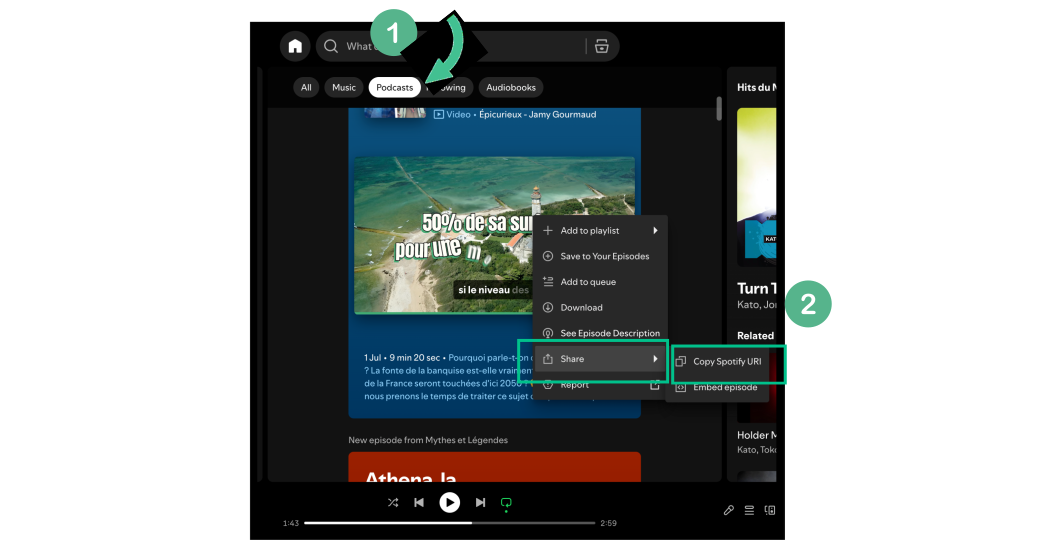
- Come back to the platform and add the copied link as a bridge.
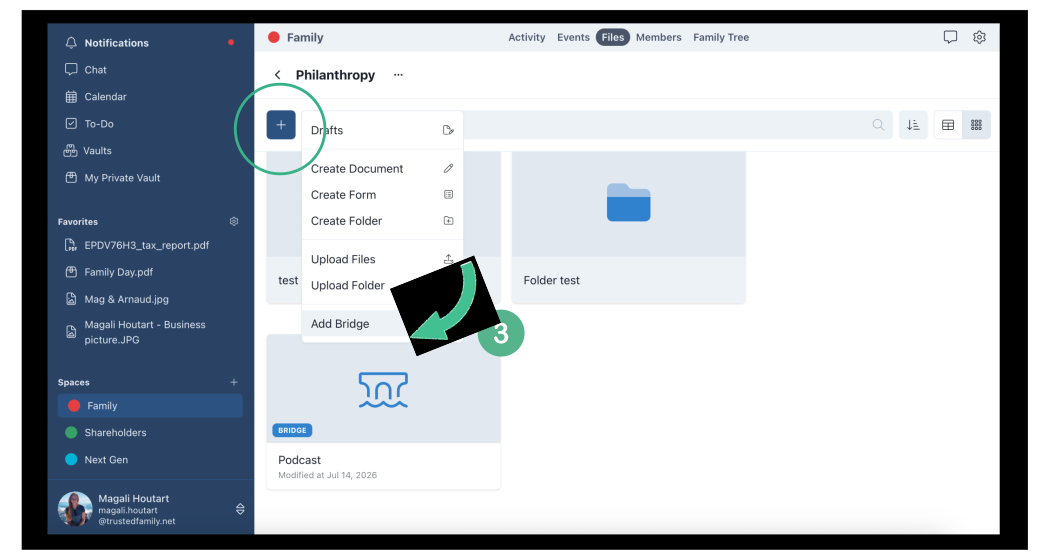
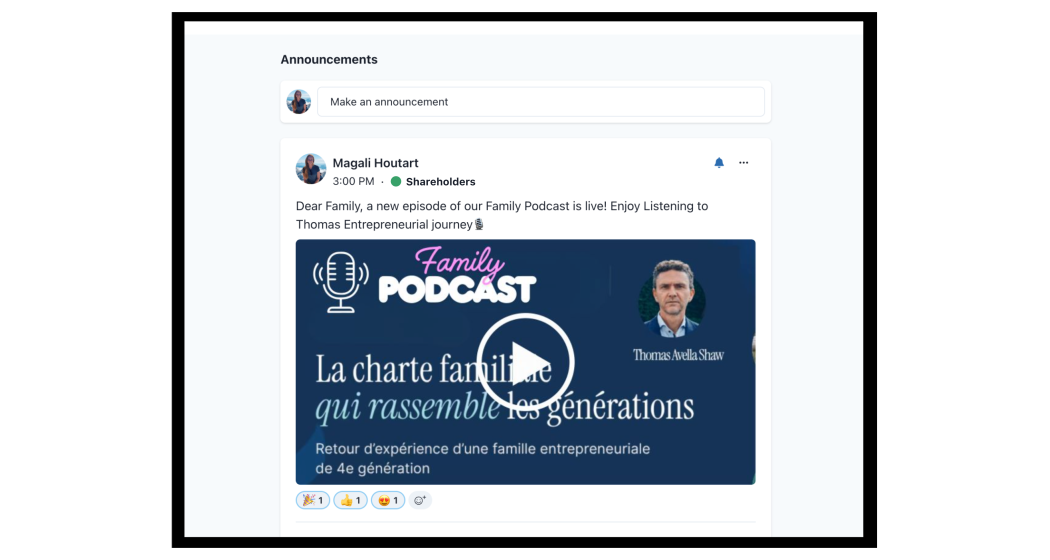
4. Your episode will play right inside the platform. 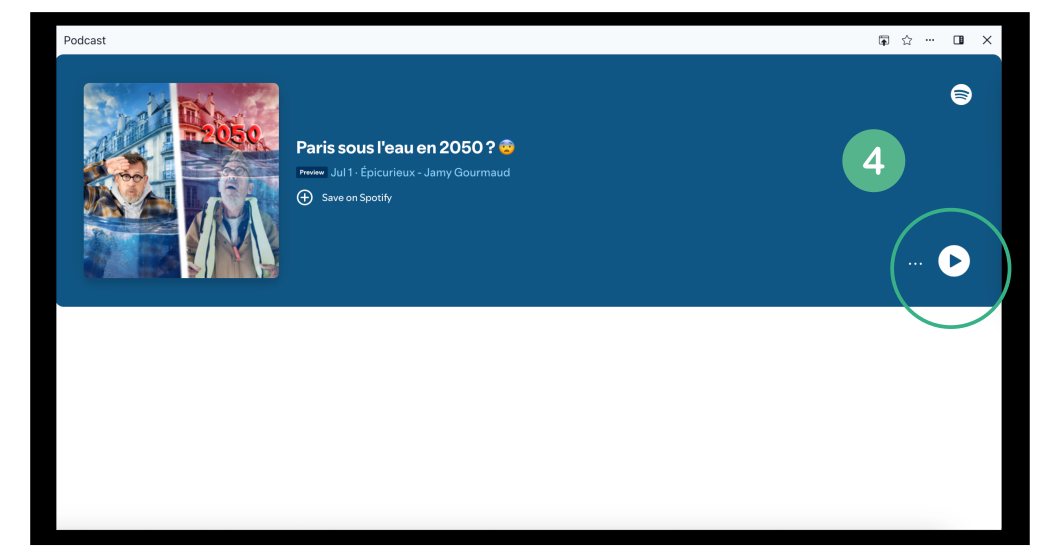
Not on Spotify?
If your podcast isn't on Spotify, follow the steps below to convert your MP3 into a video instead.
Our platform doesn't support audio-only files such as MP3, but it does support MP4 video files. So if you have a podcast episode saved as an MP3, the easiest way to share it is to convert it into an MP4 first.
Don't worry, you don't need any video editing skills. A free online converter turns your MP3 into an MP4 in a couple of minutes.
- Your podcast file in MP3 format
- One image to display while the audio plays (JPG or PNG) - your podcast cover, company logo, or any relevant picture
1. Convert your MP3 into an MP4
Open one of the free online tools below in your web browser. They all work the same way and require no account or software installation:
- FreeConvert — https://www.freeconvert.com/mp3-to-mp4
- Online Converter — https://www.onlineconverter.com/mp3-to-mp4
- VideoUtils — https://www.videoutils.com/mp3-to-mp4-with-image/
On whichever tool you choose:
- Upload your MP3 audio file.
- Upload the image you want to display during the episode.
- Click Convert (or Create video / Start).
- Wait a few moments while the tool builds your MP4.
2. Download the MP4
Once the conversion is complete, click Download to save the new MP4 file to your computer.
3. Upload the MP4 to the platform
You can now add the MP4 to the platform the same way you would upload any other document or media file. The episode will play with your chosen image displayed on screen.
Pro Tip:
Create a dedicated folder for your Podcast channel to gahter all episodes in one place. Create a shortcut to make it even easier for your users to find it.