
1. Go to your home page and create a shortcut by following the steps described in this article.
2. When prompted to enter the URL, use the following link: https://yourplatformname.trustedfamily.com/u/myself
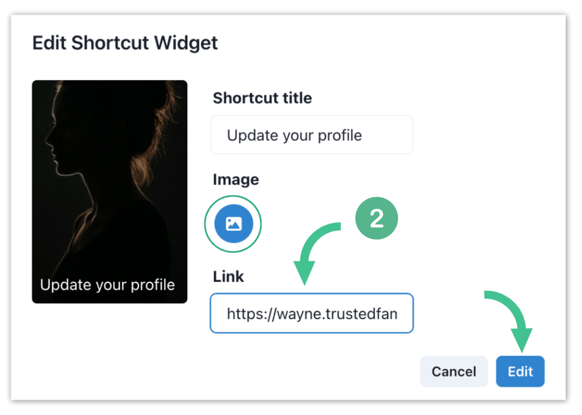
Note: Replace "yourplatformname" with the actual name of your platform (eg. https://wayne.trustedfamily.com/u/myself)
3. Once the shortcut is created, each member clicking on it will be automatically redirected to their own personal profile, where they can update their information directly.