
1. Go to your world map and copy the URL of that page. 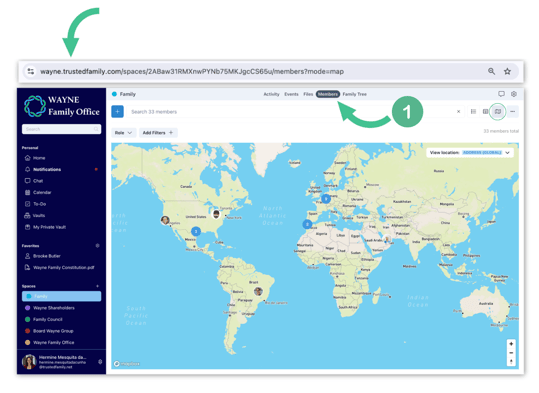
2. Return to your home page and create a shortcut by following the steps described in this article, using the link you have just copied.
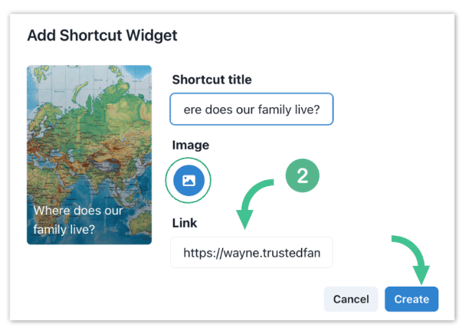
3. Once the shortcut is created, your members will automatically be redirected to the world map when the click on the shortcut!