
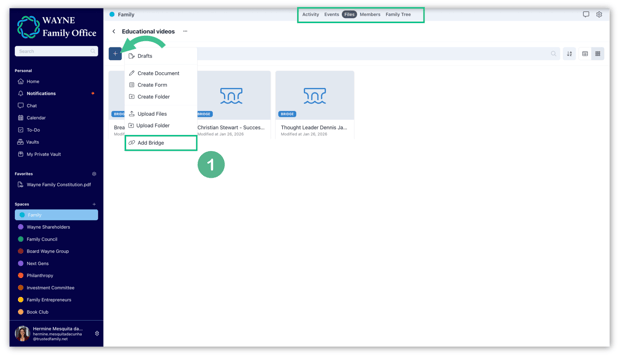
1. To create your gallery, go to the space of your choice, open the relevant folder, click on the + button, and select Bridge.
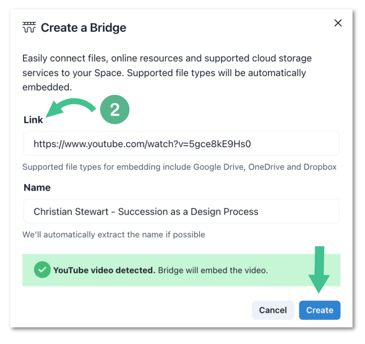
2. Copy and paste the video link and add a title for your video. By default, the platform will retrieve the title from the source. Then, click Create.
3. You will see your bridge saved in your folder. Click to open the video. It plays directly within the platform, without leaving your secure environment.
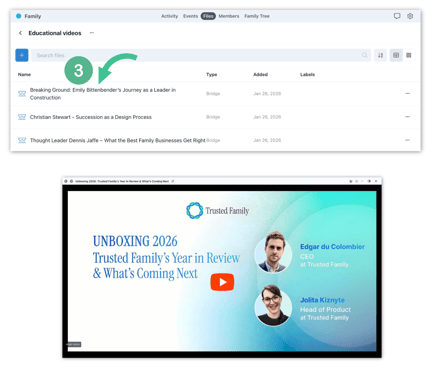
Note: by clicking on the icons at the top of your screen, you can easily switch between videos, open the notes section, or exit the video.