
1. Navigate to the event you would like to duplicate. Click on the three dots "..." to show the options.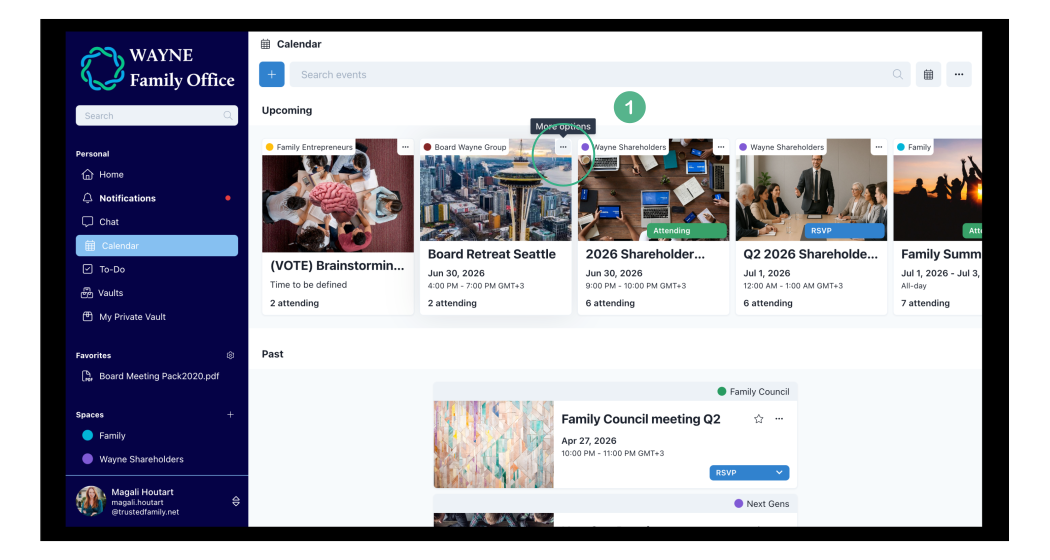
2. Select Duplicate from the options menu popup.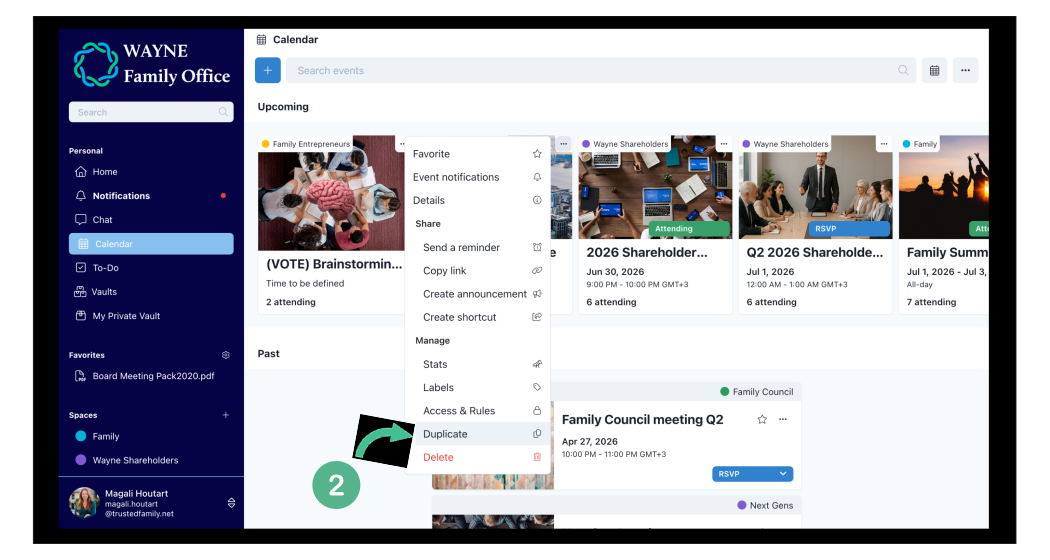
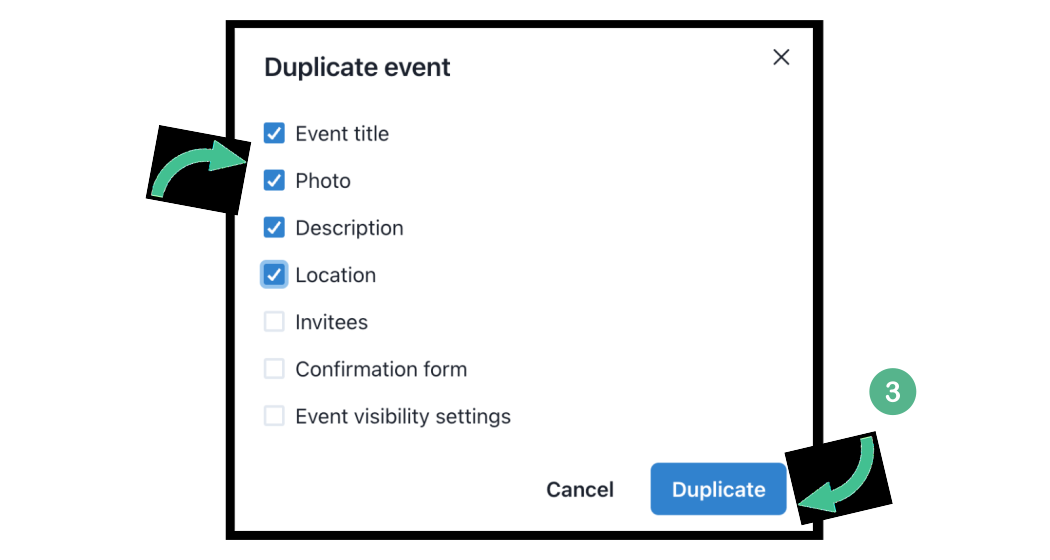
3. Check the boxes of the information you would like to copy and click Duplicate.
4. Review the title and any other specific information, then finalize by choosing Update.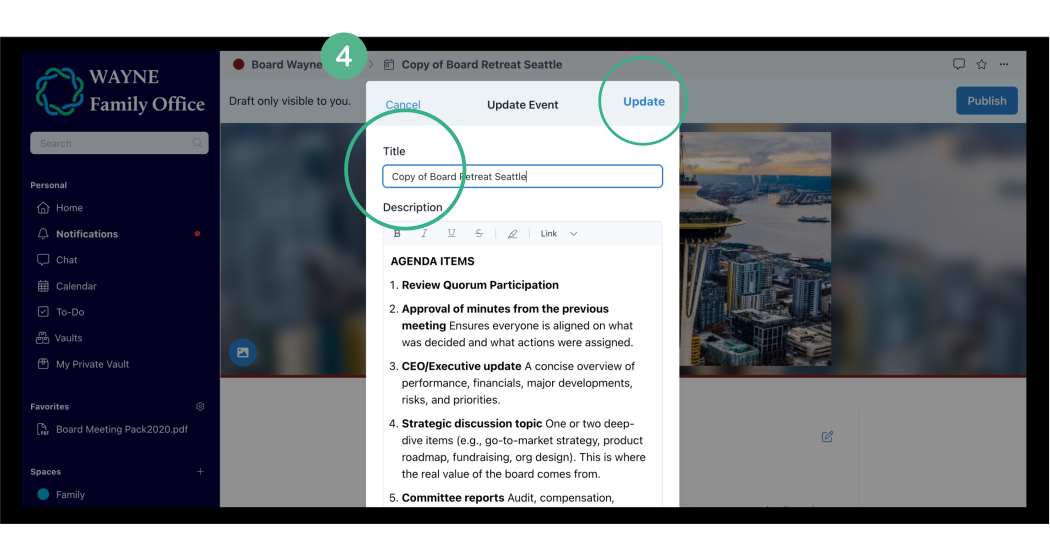 You're all set!