
Note: Annotations come in two types:
- Private - visible only to you
- Shared - visible to all members with access to the document
Adding a Private Annotation
1. Navigate to any PDF file and click on the Private Annotations tab.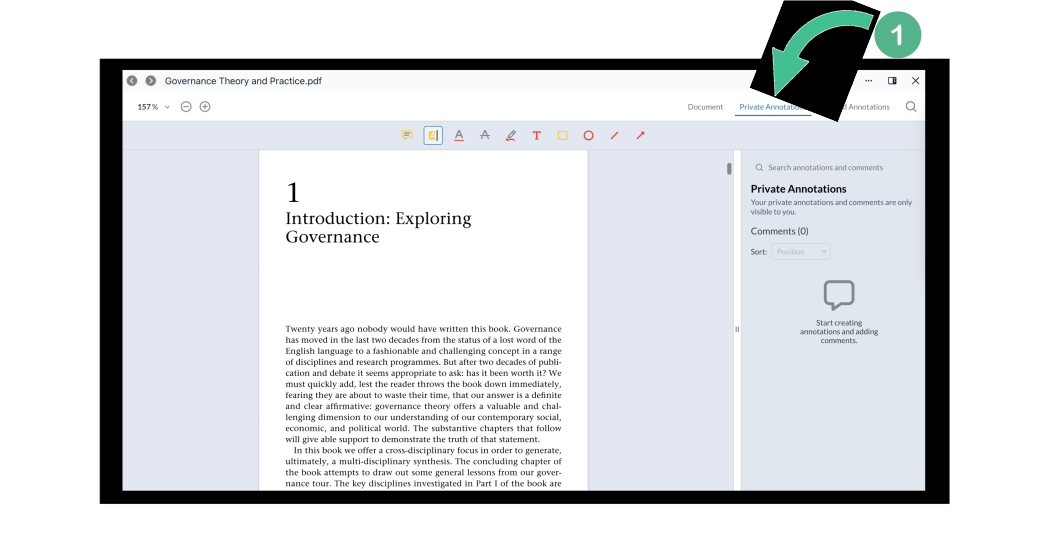
2. Choose an annotation format (highlight, comment, mark, etc) using the icons at the top of the page and then click anywhere on the document to place your annotation.
3. Select Save to add when you are done. 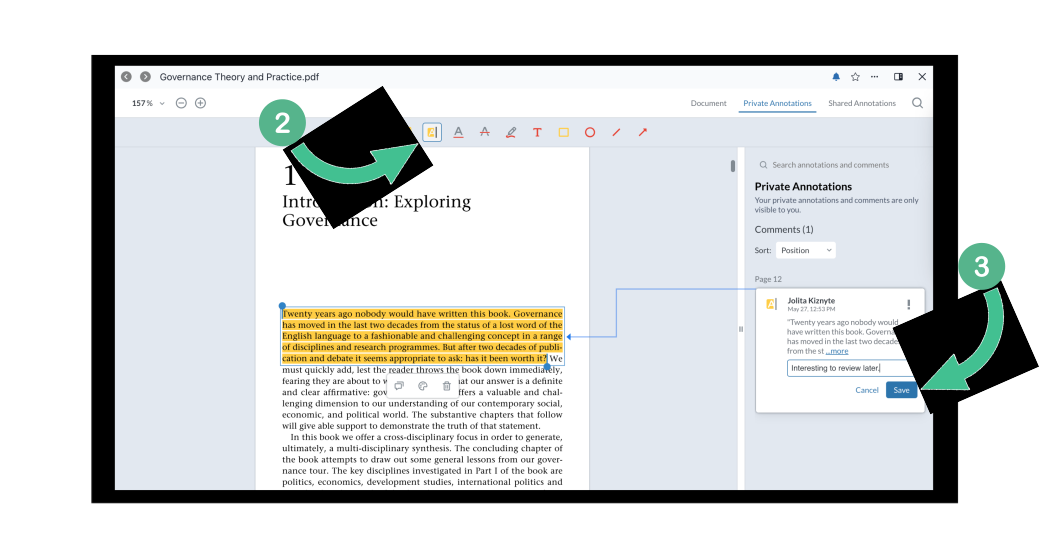
Reminder: Private annotations are never visible to other members, they are for your eyes only.
Adding a Shared Annotation
4. To add shared annotations, select the Shared Annotations tab further to the right.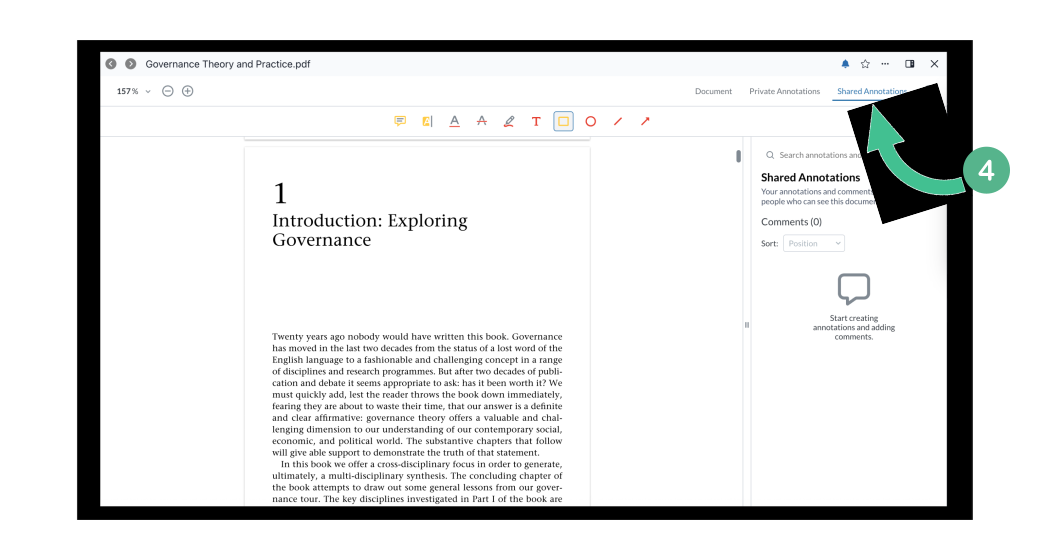
5. Choose the annotation format you want to choose from the icons along the top and click anywhere on the document to place your annotation.
6. Select Save to add when you are done.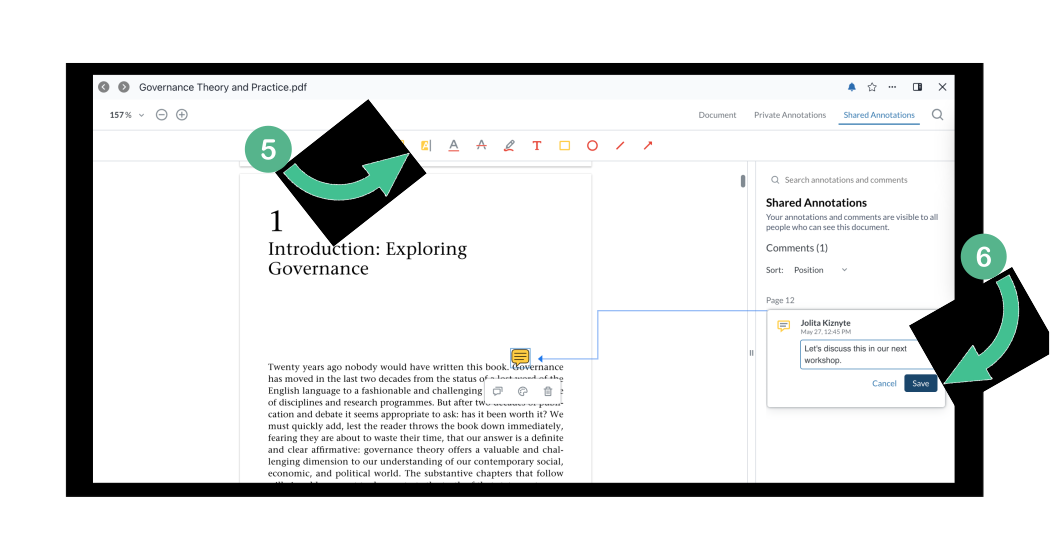
Note: you can notify other members by using the "@".
7. To delete any annotation, simply click on it, and choose the bin button to remove it. Document owners can also delete annotations by other members (for moderation purposes) by selecting the bin button.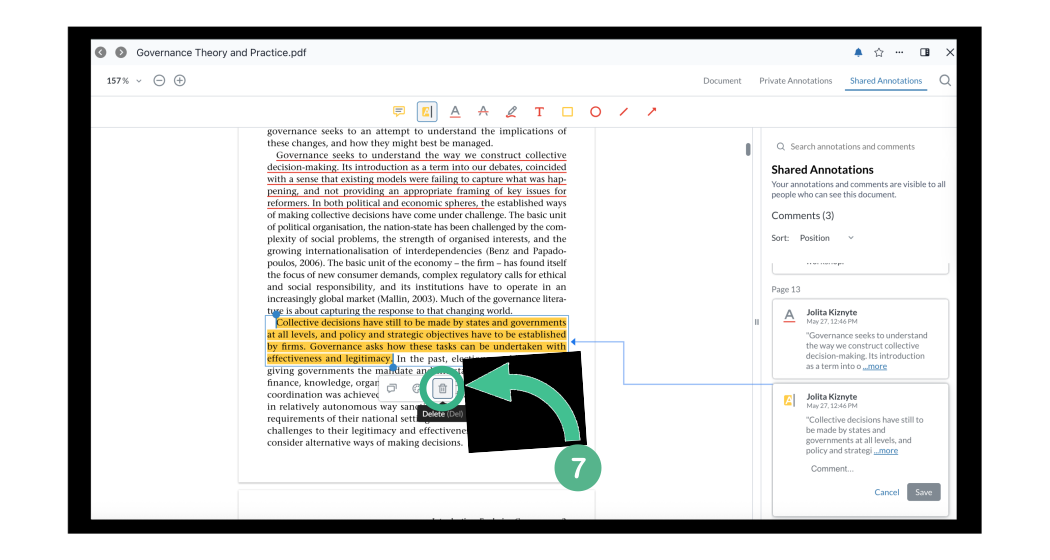
8. Users can easily sort all shared annotations by clicking the drop down box next to Sort in the right hand annotations column. Order annotations by position, by most recent or by author. 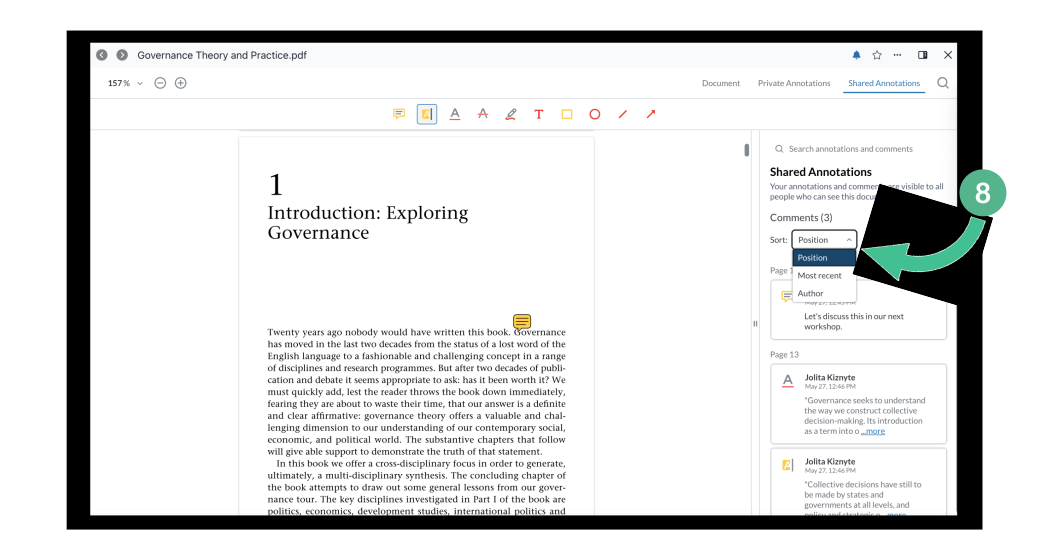
9. If you want to view a "clean" version of the file or if you are presenting your screen, you can easily select the Document tab to hide all annotations from view. And then to open annotations again, simply switch back to the Private Annotations or Shared Annotations tab to restore them.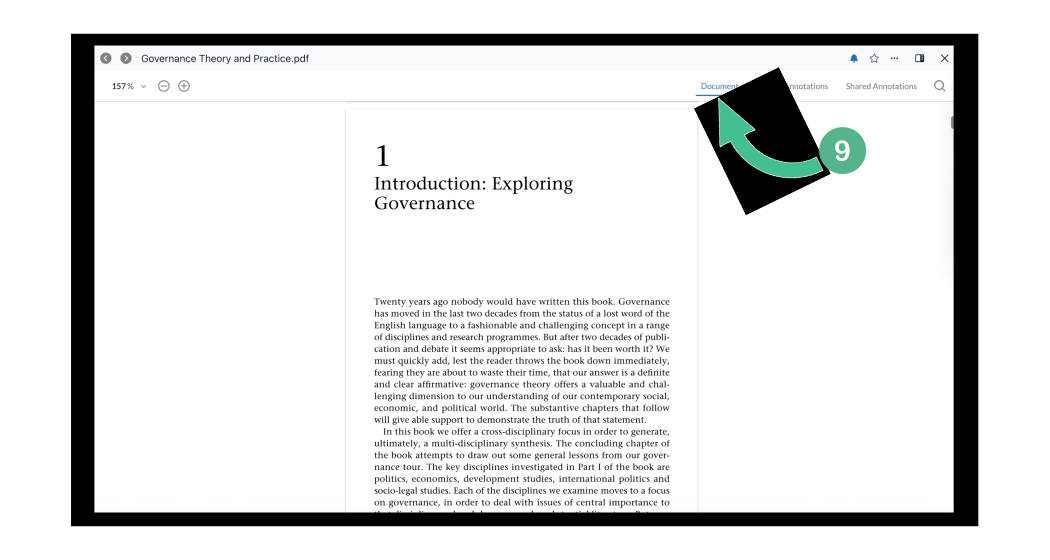
Note: As an admin, or owner of a file, not only can you can delete annotations made by members, but you can also Prevent Annotations entirely on a file.