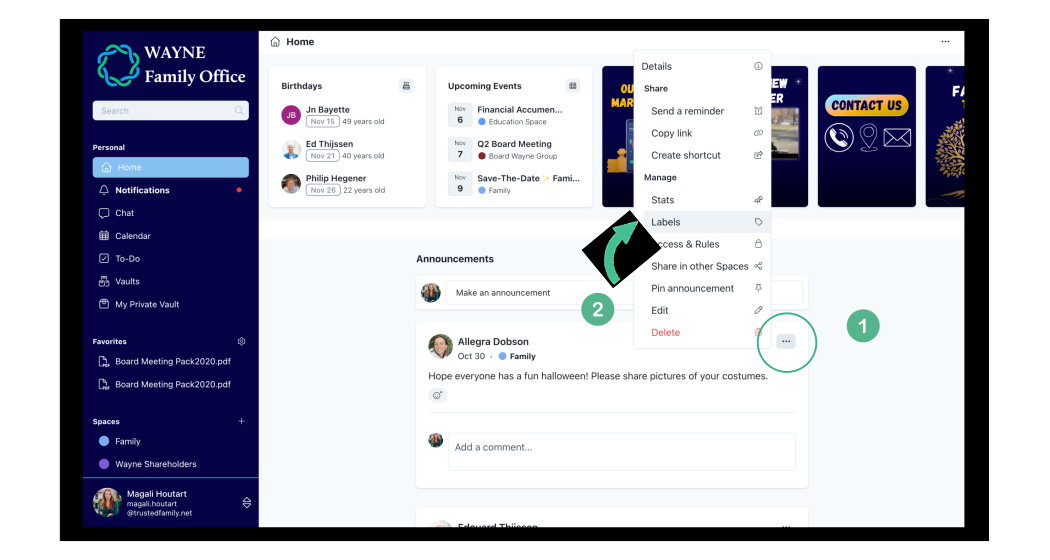
1. Select the three dots "..." of any post, document or event, that you want to label.
2. Click on Label
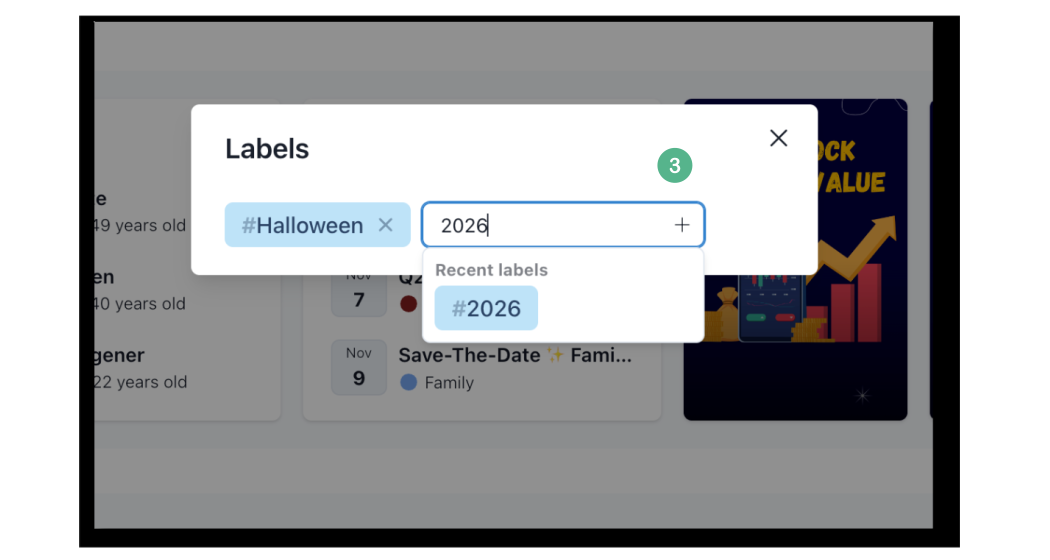
3. Select an existing label, or type a new one and hit Enter.
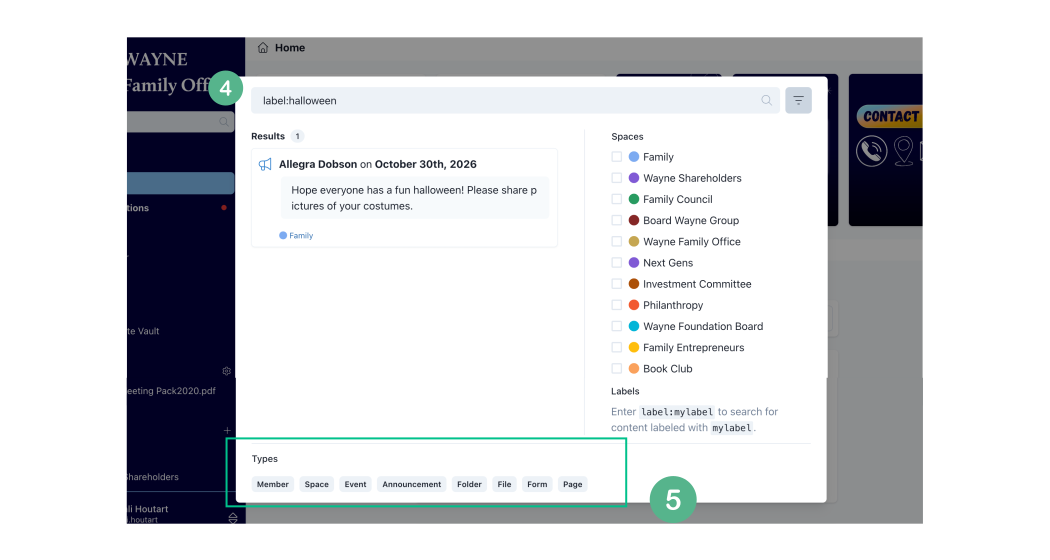
4. Use the search bar to find everything related to your specific label. Type "label:YOURLABEL"
5. You can also use the Type fields to improve your searching criteria.
Note: Only Space Owners or Content Creators can add labels.
Space owners can add labels on anything within their space. Regular users not.
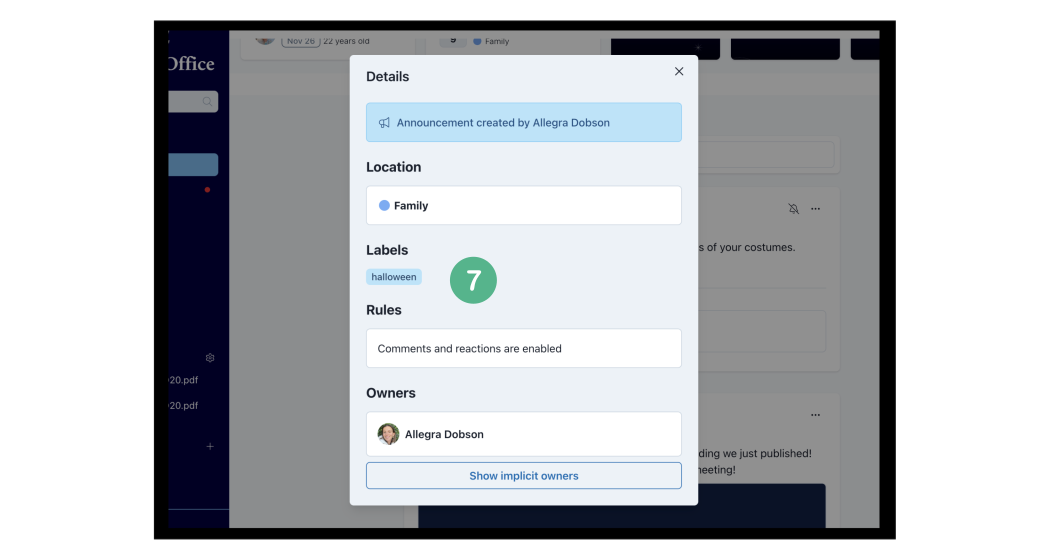
6. Regular users can see the labels of posts or files by clicking on Details.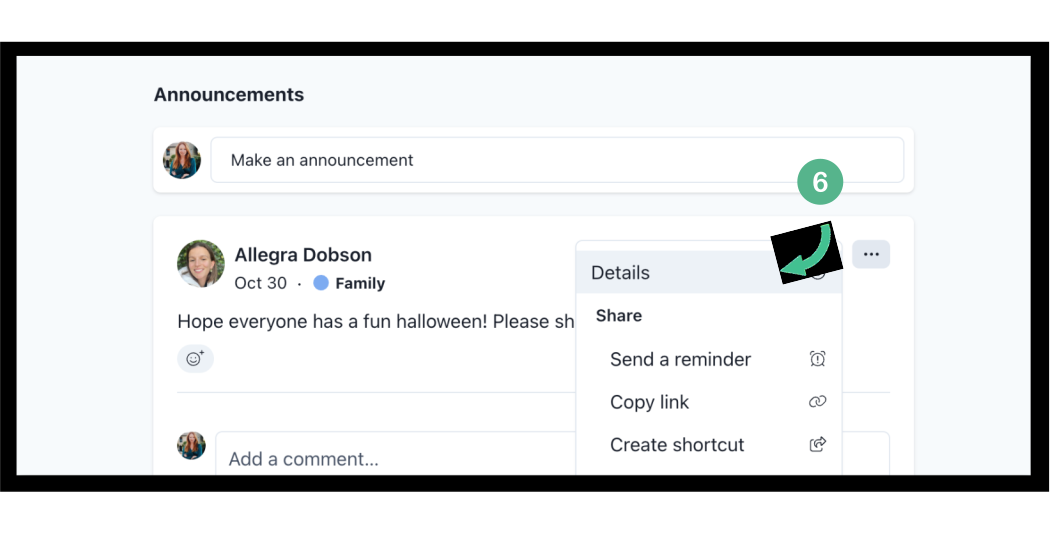
7. Regular users can't add labels on other members content, only their own. However, they can view and search (step 4) for all existing labels.