
-
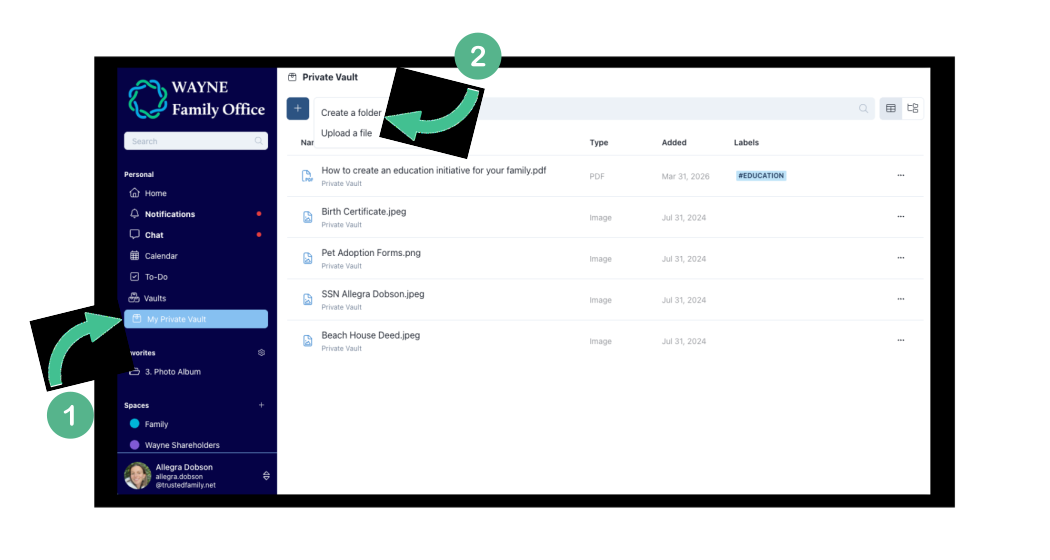
Navigate to My Private Vault on the left side menu bar.
- Once there, select the blue plus button + and then Create a folder.
- Pick a name for your folder, and then choose Create.
-4.svg)
- After your folder is created, you can switch to the folder view in the upper left hand corner to see it and navigate through your folder structure(s), add files, and more!
-4.svg)