
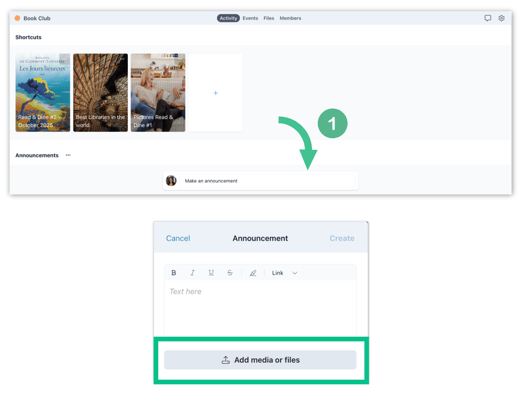
1. In your space, click on Make an announcement. In the announcement editor pop up, click on Add media or file and select the GIF you want to insert.
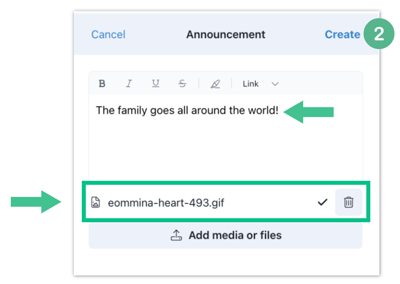
2. The GIF will appear directly at the bottom of this window, and you can add accompanying text before if needed. When your announcement is ready, click Create.
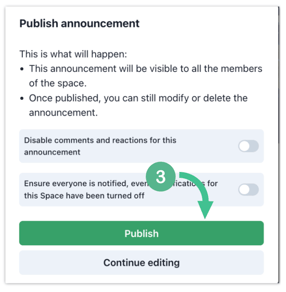
3. In the pop-up window, you will have the option to disable comments and reactions if desired and to force through a notification, if you are worried anyone might miss it. After you have made your selection, click Publish.
Note: Did you know you could also send GIFs through your Newsletters?