
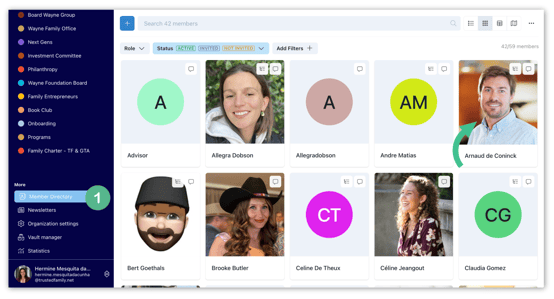
- Open the member's profile from the Member Directory. You can also click on their name anywhere on the platform to open their profile.
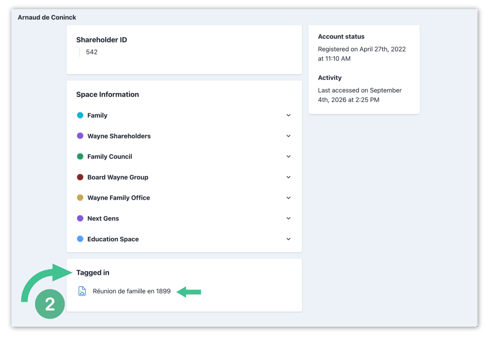
- Scroll to the bottom of their profile to the Tagged in section. You'll see the list of every file where they've been tagged, with a preview icon for each.
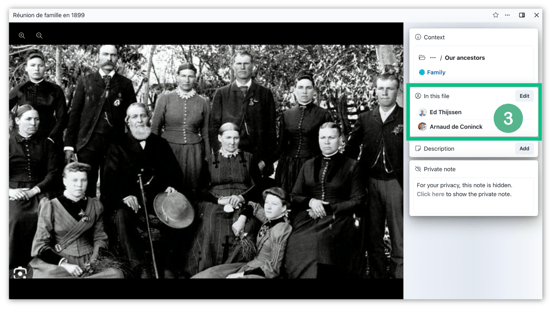
- Click any file in the list to open it directly. The side panel will show the In this file section, listing everyone else tagged in that file.
Note: Follow this article on Tag Members in a Picture to learn how to tag members in a file. The same flow works for any file — pictures, documents, PDFs, spreadsheets, and more.
Pro tip: Use this to build a personal family timeline — every photo, document, or event file a member appears in is one click away from their profile.